
The product, module by module
Seven modules. One client workspace.
Documents, e-signature, surveys, client trackers, a templates library, clients, and pipeline. They share one brand, one client record, and one AI. Here's exactly what each one does.
Every module is unlocked on the 7-day free trial. No credit card.
Jump to a module
Pick where it hurts.
- DocumentsProposals, quotes, estimates, invoices, and agreements, built from sections you rearrange.“Every proposal starts from a copy of the last one, and it shows.”
- E-SignatureBuild the agreement here, or upload the PDF you already have. Drop the fields. Send.“The deal stalls between ‘yes' and ‘signed'.”
- SurveysQuestion sets for project intake, scoping, or research, published as a link.“Onboarding by email archaeology.”
- Client TrackersA calendar-style view of where the project actually is, and a live page your client can watch.“‘Any updates?', every client, every week.”
- Templates Libraryready-made starter kits built for your niche. Never open a blank page again.“You rebuild the same document every time, from a file you're not proud of.”
- ClientsCompanies, the people inside them, and everything you've ever sent them.“Client context lives in your head, your inbox, and a notes app you stopped opening.”
- PipelineA Kanban board of every deal in the air, with stages, value, and win probability.“You know you have a few things ‘in the air'. You couldn't say which ones will land.”
Not sure you need all seven? Nobody starts with all seven. They share one workspace, so turning one on never means moving anything.
Module 01 of 07
Documents
Proposals, quotes, estimates, invoices, and agreements, built from sections you rearrange.
“Every proposal starts from a copy of the last one, and it shows.”
What it does
- Build from modular sections: cover, scope, timeline, pricing tables, terms, case studies
- Add, reorder, duplicate or delete any section; every section has its own settings
- Your brand applies itself: logo, colours, typography, on every page
- Share as a trackable link or export a clean, print-ready PDF
- See the minute it opened, which sections were read twice, how long they stayed, on what device
- One click turns an approved quote into the invoice
AI in this module
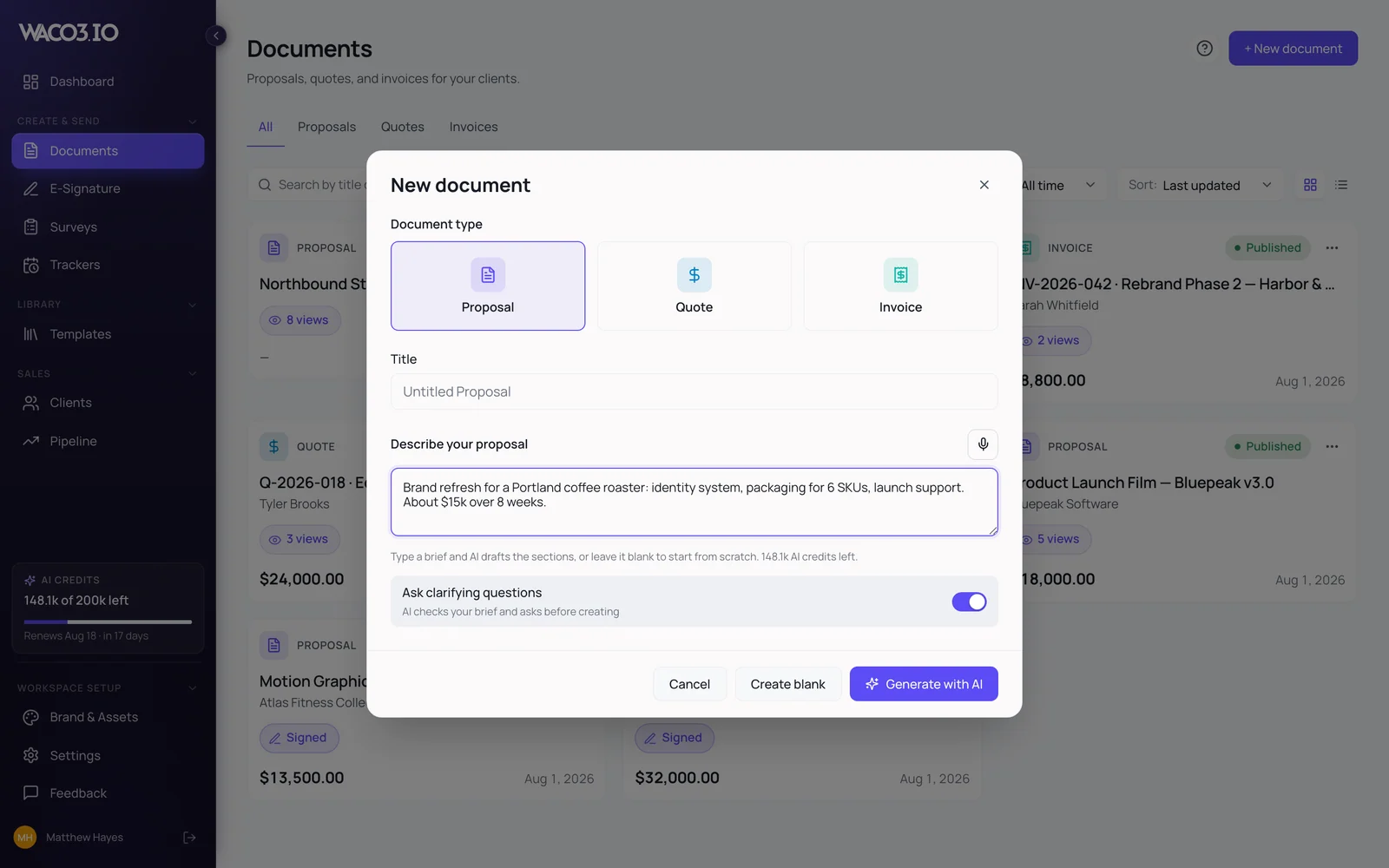
- Draft a whole document from one sentence
- Regenerate one section, leave the rest
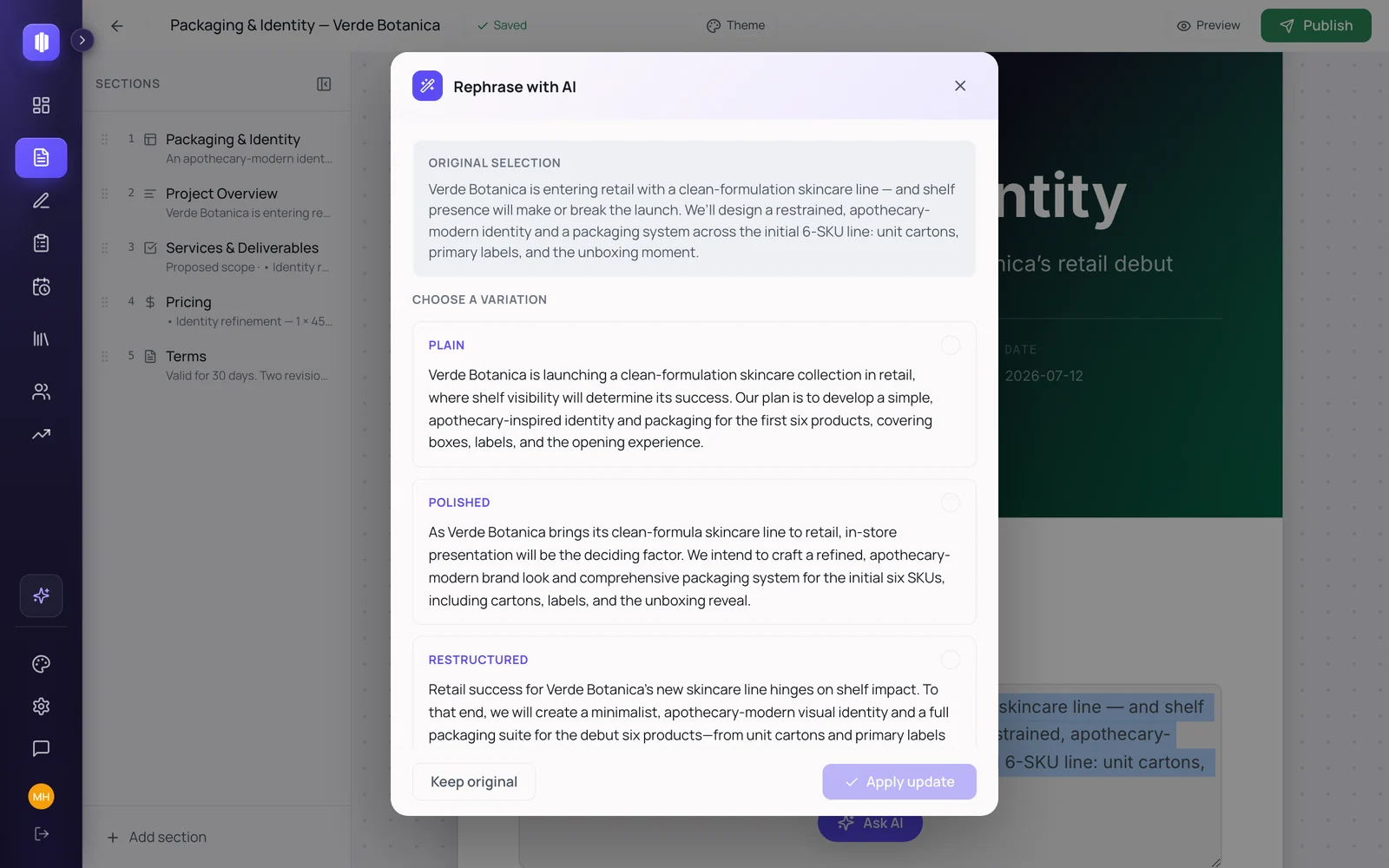
- Select any text and transform it
- Dictate the brief instead of typing
What your client sees
Go deeper on Documents Opens a link on their phone. No account, no download, no pinch-and-zoom PDF.
Proposal: Alvarez Studio rebrand
- Cover
- The problem we're solving
- Scope & deliverables
- Pricing
Drag a section to reorder it, click one to see its controls, or let AI draft the next one.
Module 02 of 07
E-Signature
Build the agreement here, or upload the PDF you already have. Drop the fields. Send.
“The deal stalls between ‘yes' and ‘signed'.”
What it does
- Start from scratch in the editor or upload an existing PDF
- Place signature, initial, date and text fields exactly where they belong
- Send to one signer or several, each with their own link
- Track every stage per signer: sent → delivered → opened → signed
- Every envelope closes with an audit trail, a tamper-evident document hash and a Certificate of Completion PDF
- Designed to comply with the U.S. ESIGN Act and EU eIDAS
- One-click reminders when someone goes quiet
No AI in this module, on purpose
This module has no AI, on purpose. Nothing generates, rewrites or summarises a legally binding agreement. Write it yourself, paste it in, or upload the PDF your lawyer already approved. Waco3 handles the fields, the delivery and the audit trail.
What your client sees
Taps the link, signs with a finger on their phone, gets the signed copy. No account, no app, no fee.
Waco3 doesn't collect payment on signature. Invoices are branded and trackable, but payment happens with your bank or provider of choice.
Go deeper on E-SignatureServices agreement: Alvarez Studio
Draw your signature hereSignature
Signing asMarina AlvarezClient: Alvarez Studio
Your cursor is a pen inside the field. Sign it. The trail on the right is what the envelope actually records.
Module 03 of 07
Surveys
Question sets for project intake, scoping, or research, published as a link.
“Onboarding by email archaeology.”
What it does
- Build a question set for intake, scoping or research
- Multiple choice, ratings, NPS, long answers, ordered sections
- Publish as a link and set a deadline, or close it the moment you have enough
- See who answered and when, and who hasn't
- Completion funnel and per-question breakdown
- Export every response to CSV
AI in this module
- Turn a goal into a question set
- Tighten, reorder or add questions by asking
- Dictate the goal
What your client sees
Go deeper on Surveys Answers in a browser, on a phone, in one sitting. No login.
Intake: Alvarez Studio rebrand
Project intake
3 questions- What are we actually trying to fix?Long answer
- Who is this for, in one line?Multiple choice
- How urgent is this, honestly?Rating 1-5
waco3.io/s/alvarez-intake
Click a question type to add it, drag to reorder, then hit Publish to see what comes back.
Module 04 of 07
Client Trackers
A calendar-style view of where the project actually is, and a live page your client can watch.
“‘Any updates?', every client, every week.”
What it does
- A calendar view: what's happening now, what's next, what's waiting on them
- Milestones and tasks with owners and dates
- Mark every item visible to the client or internal only. They see progress, not your mess
- Share a live, read-only status page with your brand on it
- See when your client opens it, and what they checked
AI in this module
- Turn a project description into milestones
- Add, remove or reschedule by asking
What your client sees
Go deeper on Client Trackers Bookmarks one page that always answers “where are we?”, no account, works on a phone.
Tracker: Alvarez Studio rebrand
March38% complete
1
2
3
4
5
6
7
8
9
10
11
12
13
14
15
16
17
18
19
20
21
22
23
24
25
26
27
28
29
30
31
Click any item for detail. Then switch to the client's view and watch the internal items disappear.
Module 05 of 07
Templates Library
ready-made starter kits built for your niche. Never open a blank page again.
“You rebuild the same document every time, from a file you're not proud of.”
What it does
- A starter kit per creative discipline: design and visual arts, film and media, sound and music, architecture and space, writing and content, fashion and textiles, craft and emerging, business and services
- Not just proposals: signature-ready agreements, intake surveys, follow-up emails, AI prompts and reusable blocks
- Full kits that carry a niche from lead to close, in order
- Save anything you make as a template
- Blocks: your pricing table, your terms, your bio, drop them into any document
No AI in this module, on purpose
The library itself doesn't generate anything. It hands you work that already exists. It does ship ready-written AI prompts for your discipline, which you run inside Documents, Surveys or Trackers.
What your client sees
Sees a document that looks made for them, not assembled from an old file.
Starter kits are written in English today. The interface, client emails and AI drafting all work in Spanish.
Go deeper on Templates LibraryStarters by Waco3
The photography kit
Written in the vocabulary the job actually uses: usage rights, shot lists, delivery windows.
- Lead
- Proposal
- Agreement
- Kick off
- Deliver
Switch discipline to see the kit change, and click any artifact to read the first lines.
Module 06 of 07
Clients
Companies, the people inside them, and everything you've ever sent them.
“Client context lives in your head, your inbox, and a notes app you stopped opening.”
What it does
- Companies and the people inside them, with roles and contact details
- Notes, activity history and follow-ups on one screen
- Every document, envelope, survey and tracker attached to the client it belongs to
- Run many clients at once without losing which one is waiting on you
AI in this module
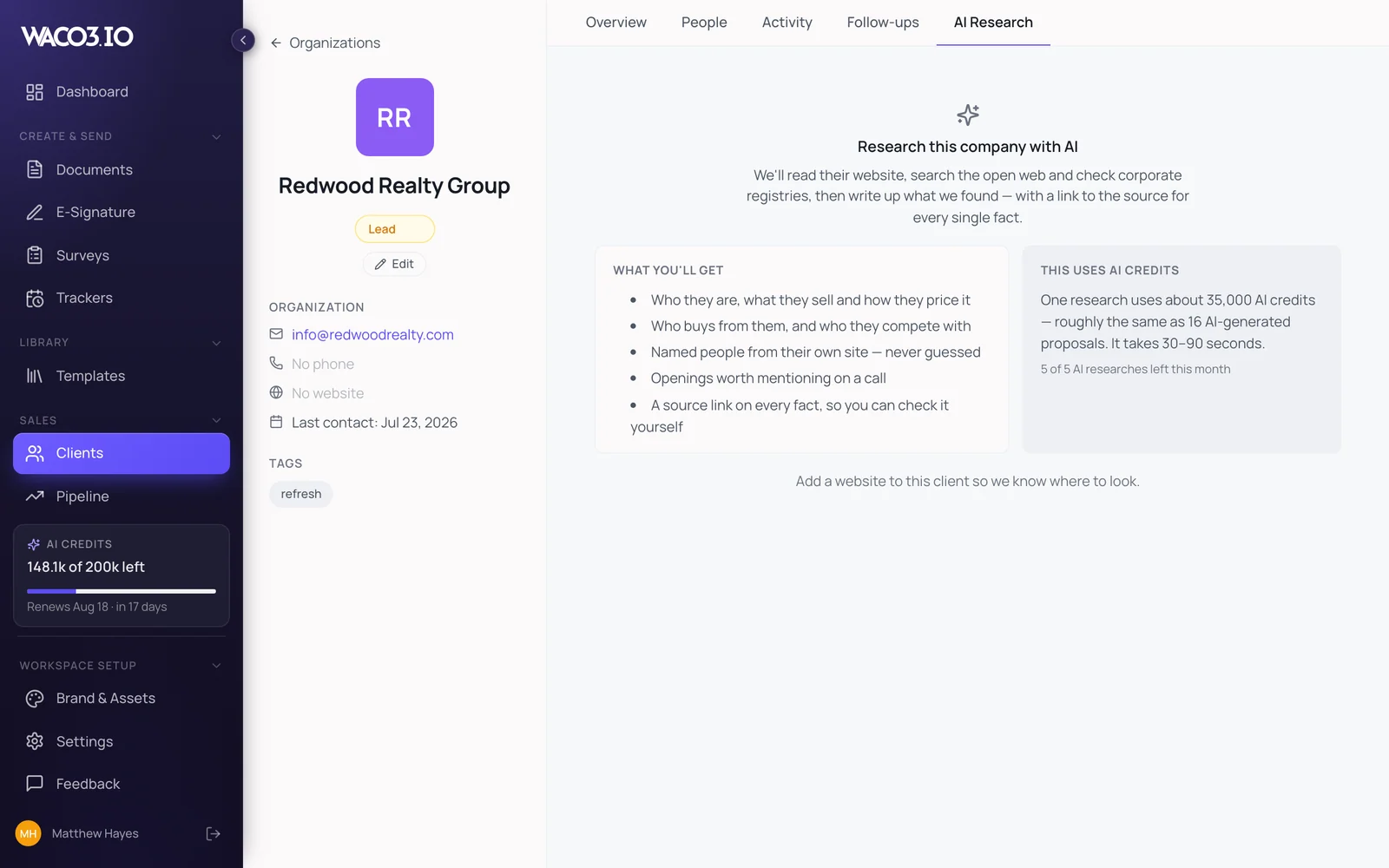
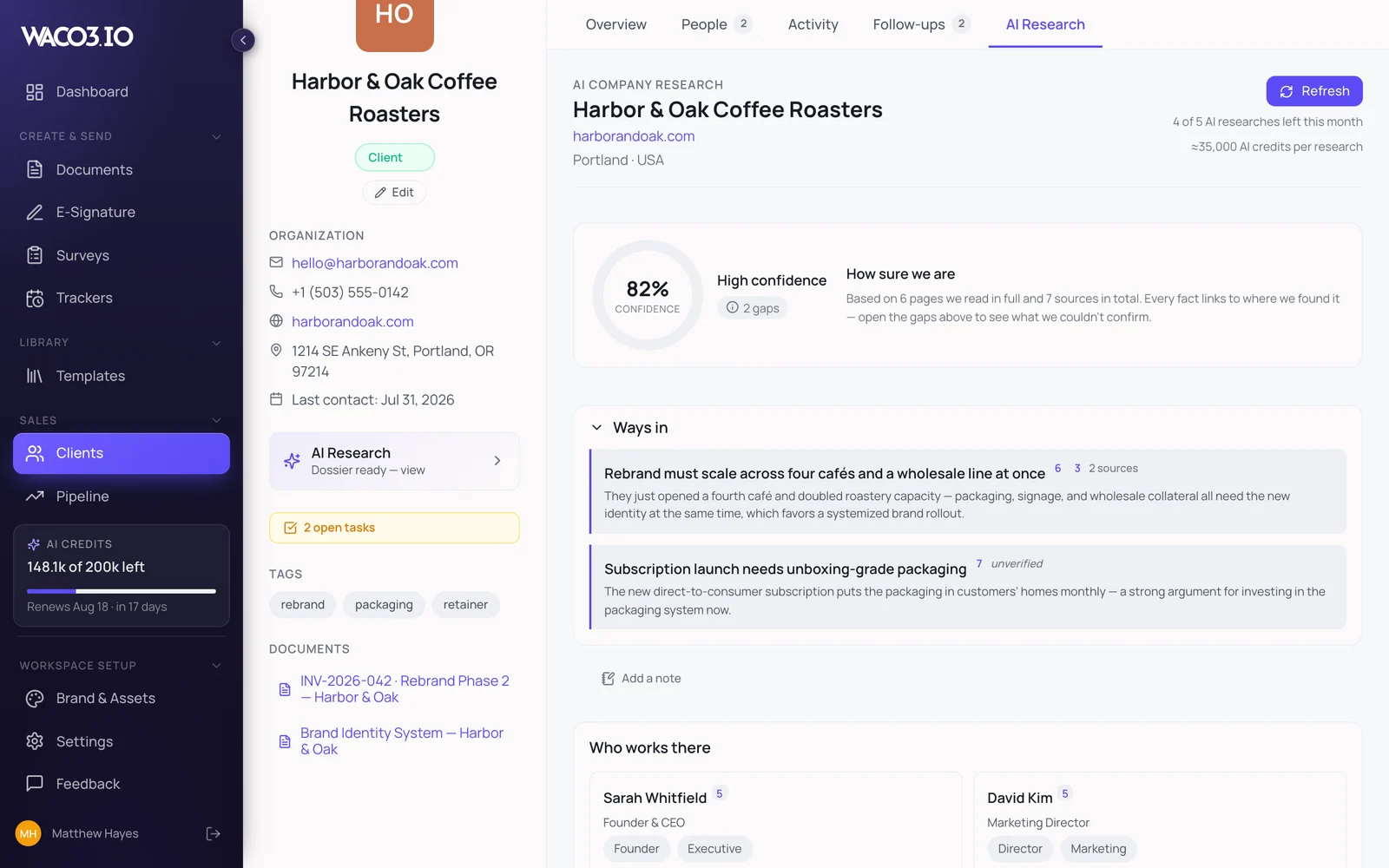
- Research a company from its domain
- Get a cited profile before the call
- Dictate notes
What your client sees
Never sees any of it. This module is yours.
AI Company Research is a researched starting point from public sources and registries, not certified due diligence.
Clients: AI Company Research
You have a call in ten minutes and all you know is the domain. Paste it and Waco3 reads the public record for you.
- Company profile, size, sector and where they operate
- Recent moves worth mentioning: funding, launches, hires, press
- The people you're likely to be sitting across from
- Every fact carries its source; anything uncited gets dropped
Press Research. This is the thing to run in the ten minutes before a first call.
Module 07 of 07
Pipeline
A Kanban board of every deal in the air, with stages, value, and win probability.
“You know you have a few things ‘in the air'. You couldn't say which ones will land.”
What it does
- Drag deals across the stages you name
- One client with many projects, or many clients with many projects, both work
- Value and win probability per deal, so the board adds up to a forecast instead of a feeling
- Won deals hand off to a tracker with the proposal already attached
- The control panel for the business, not just the current job
No AI in this module, on purpose
No AI scores your deals or predicts your close rate. Win probability is the number you set, because you know the client and a model doesn't. The proposal you attach was drafted in Documents, where AI does help.
What your client sees
Never sees it. This one is yours too.
Pipeline: Q1
$6,5001 deals
Alvarez StudioLisbon launch campaign$6,5002nd project
$30,2002 deals
NordwerkWebsite + art direction$22,000 Casa FerrerPackaging refresh$8,200
$14,0001 deals
Alvarez StudioBrand system rebrand$14,000
$11,5001 deals
Ruiz & CoAnnual report design$11,500
Drag a deal to another stage. The weighted forecast at the top recalculates as you move it.
In the product
One client, carried across five screens.
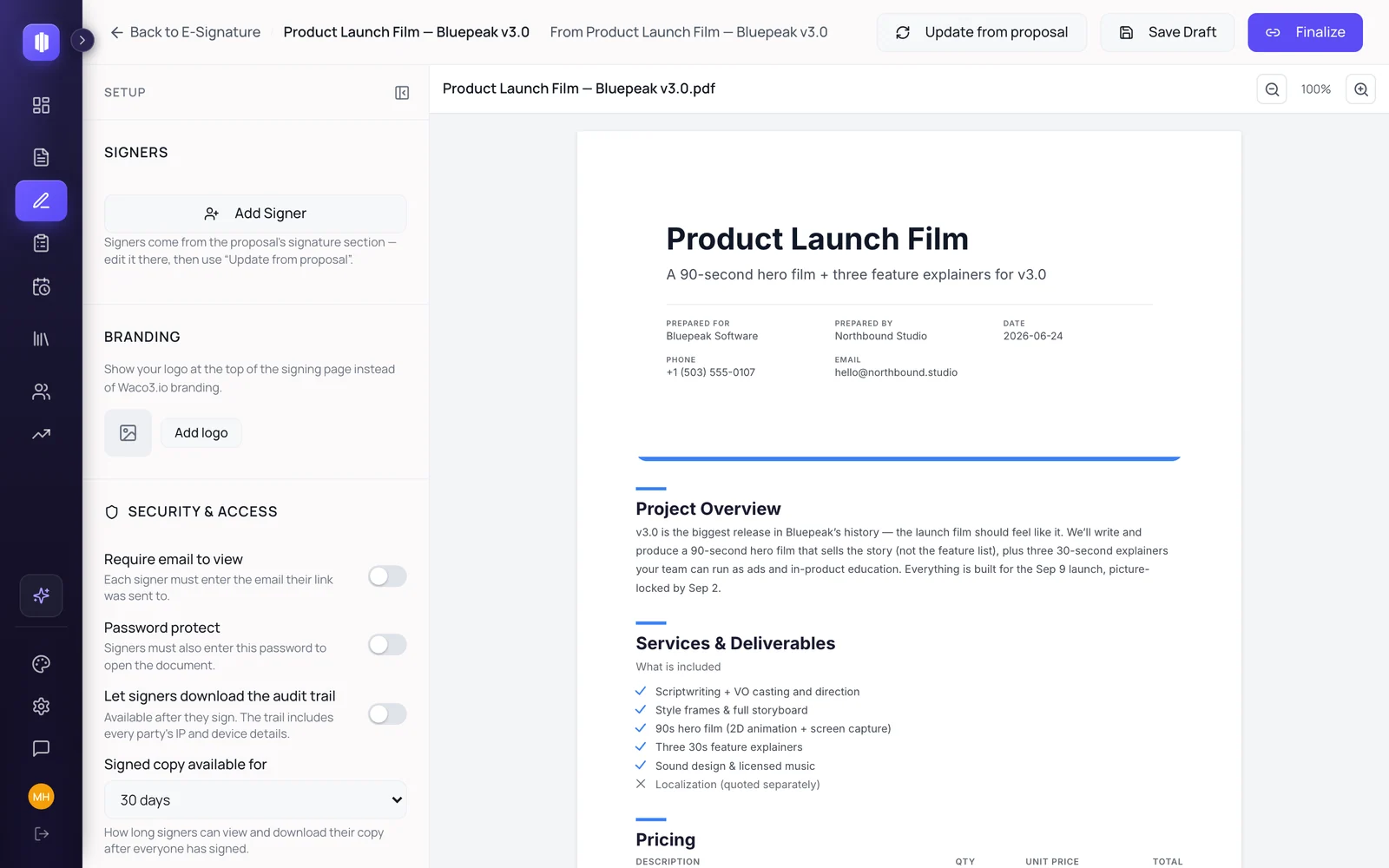
One dialog turns a live proposal into a signable envelope. 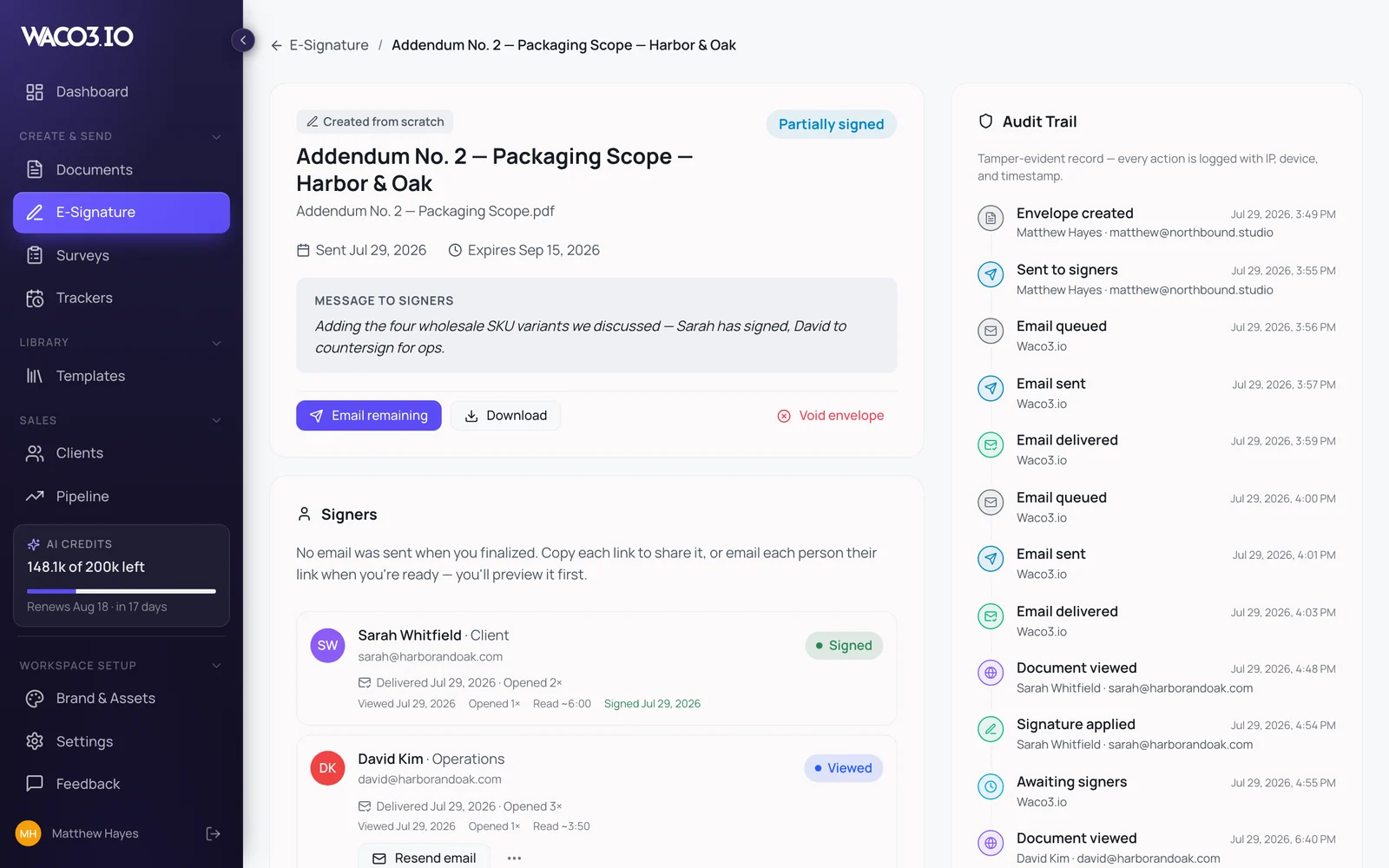
Each signer's state, in the order it happened. 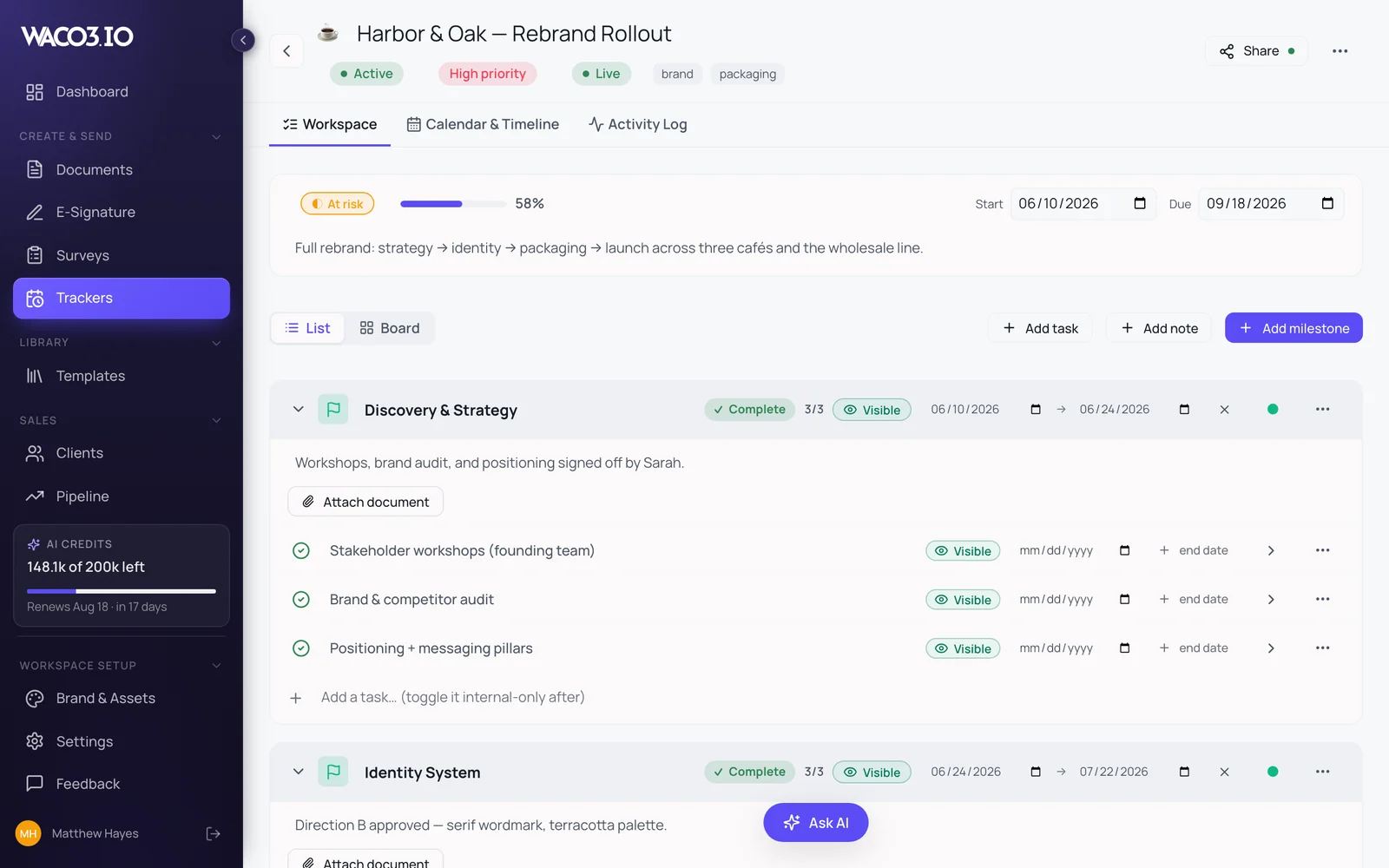
Milestones and tasks, with a visibility switch on each. 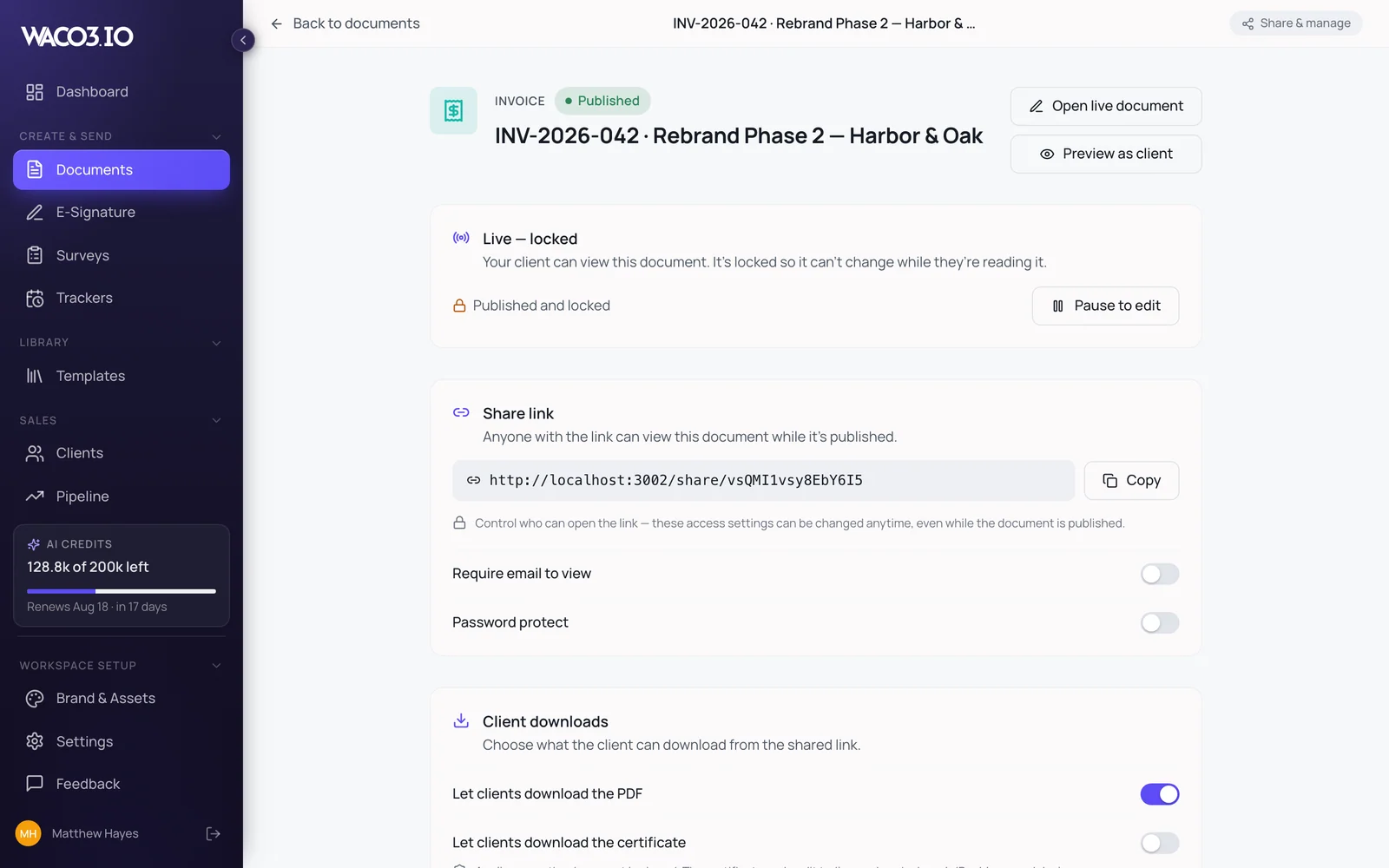
The approved figures, carried into the invoice. 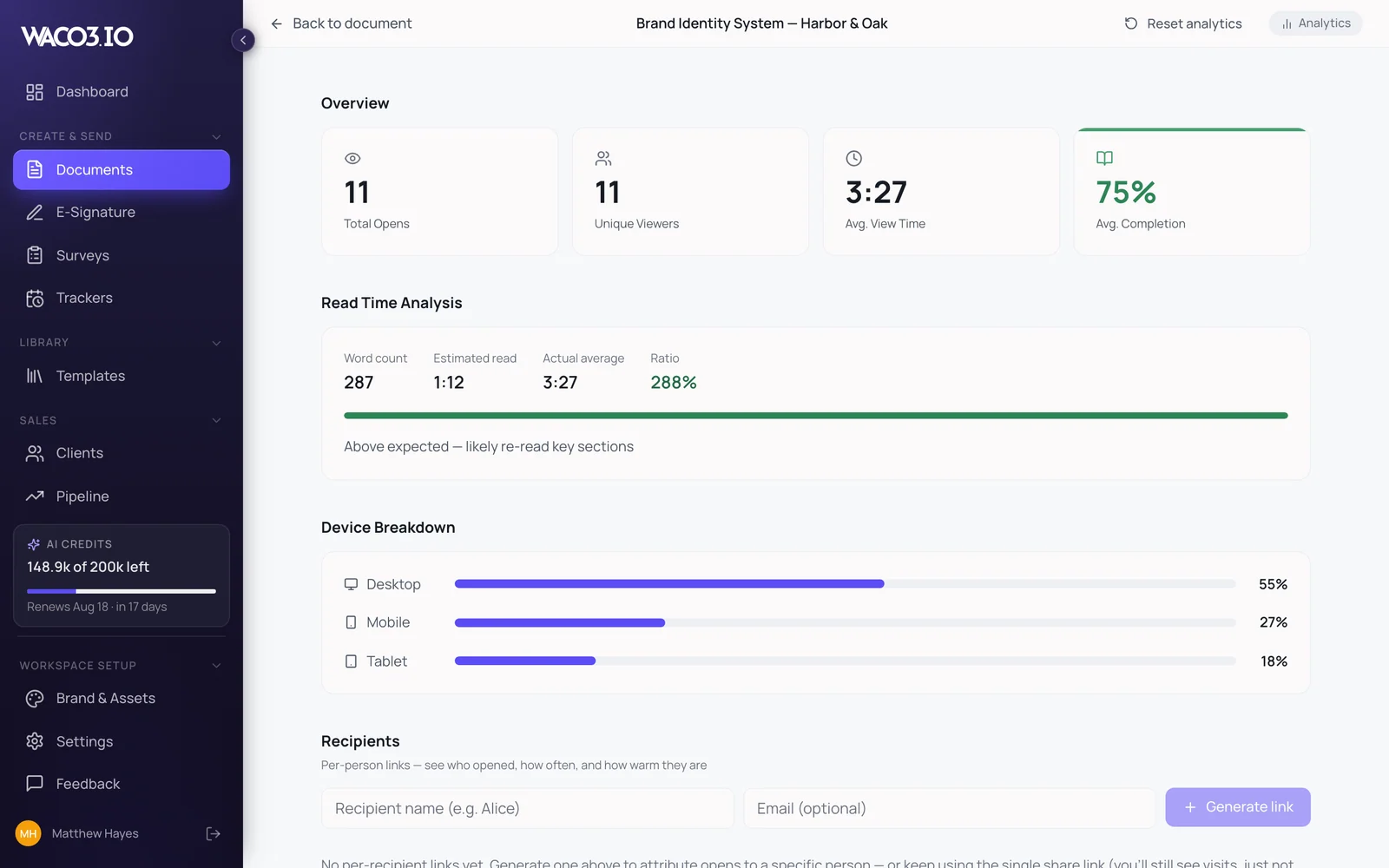
Opens, reading depth and forwards, per recipient. 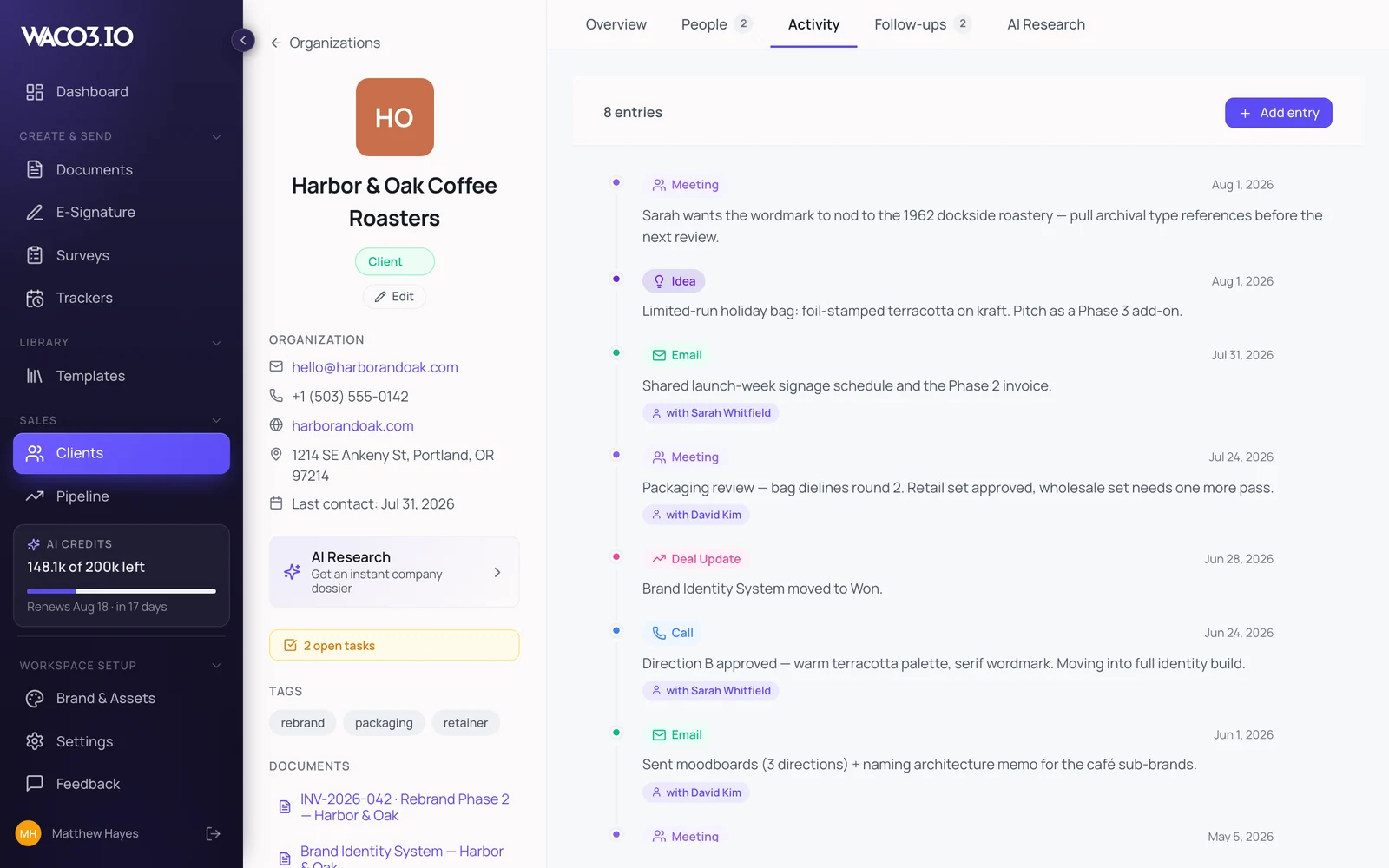
Every artifact filed against one client record.


Every document above left as a link you could watch being read.
One Workspace,
From Pitch to Invoice
The proposal becomes the envelope. The won deal becomes the tracker. The quote becomes the invoice. Every step is branded, tracked, and one click from the next.
Pitch
AI drafts the proposal from your brief, after asking the right questions first.
Sign
One click turns it into a signable envelope. Clients sign on their phone, no account needed.
Deliver
A live status page answers “where are we?” before they email to ask.
Invoice
The quote that won the job becomes the invoice. Branded, shareable, trackable.
The AI, in detail
Every AI line in the product,and every place we left it out.
You've just read what each module does. This is what the AI does inside them, the exact drafting, the select-any-sentence rewrite, and dictation in either language.
4 of 7 modules do real work for you. Three stay hands-off on purpose.
Module by module
Documents
- Draft a whole document from one sentence
- Regenerate one section, leave the rest
- Select any text and transform it
- Dictate the brief instead of typing
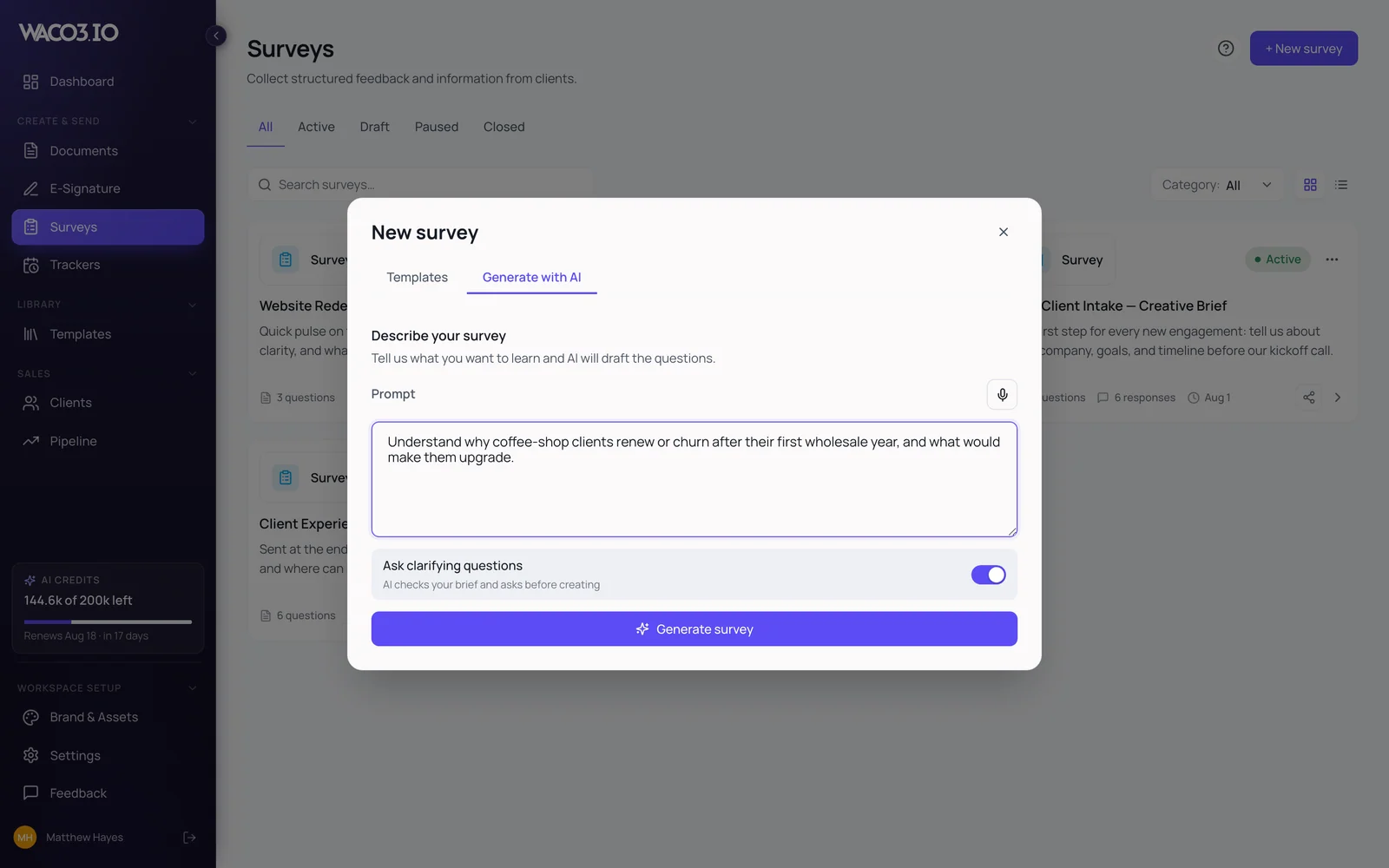
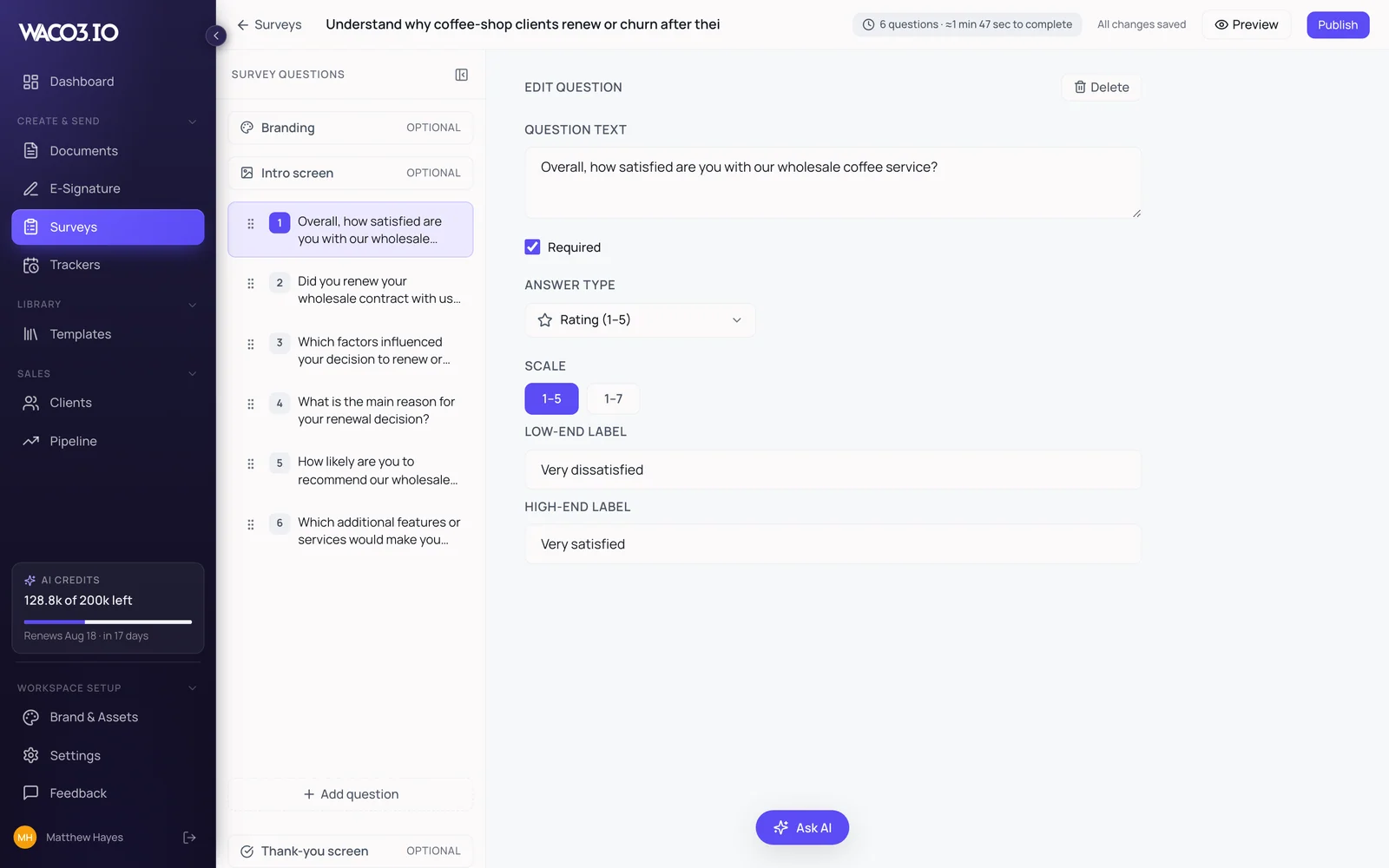
Surveys
- Turn a goal into a question set
- Tighten, reorder or add questions by asking
- Dictate the goal
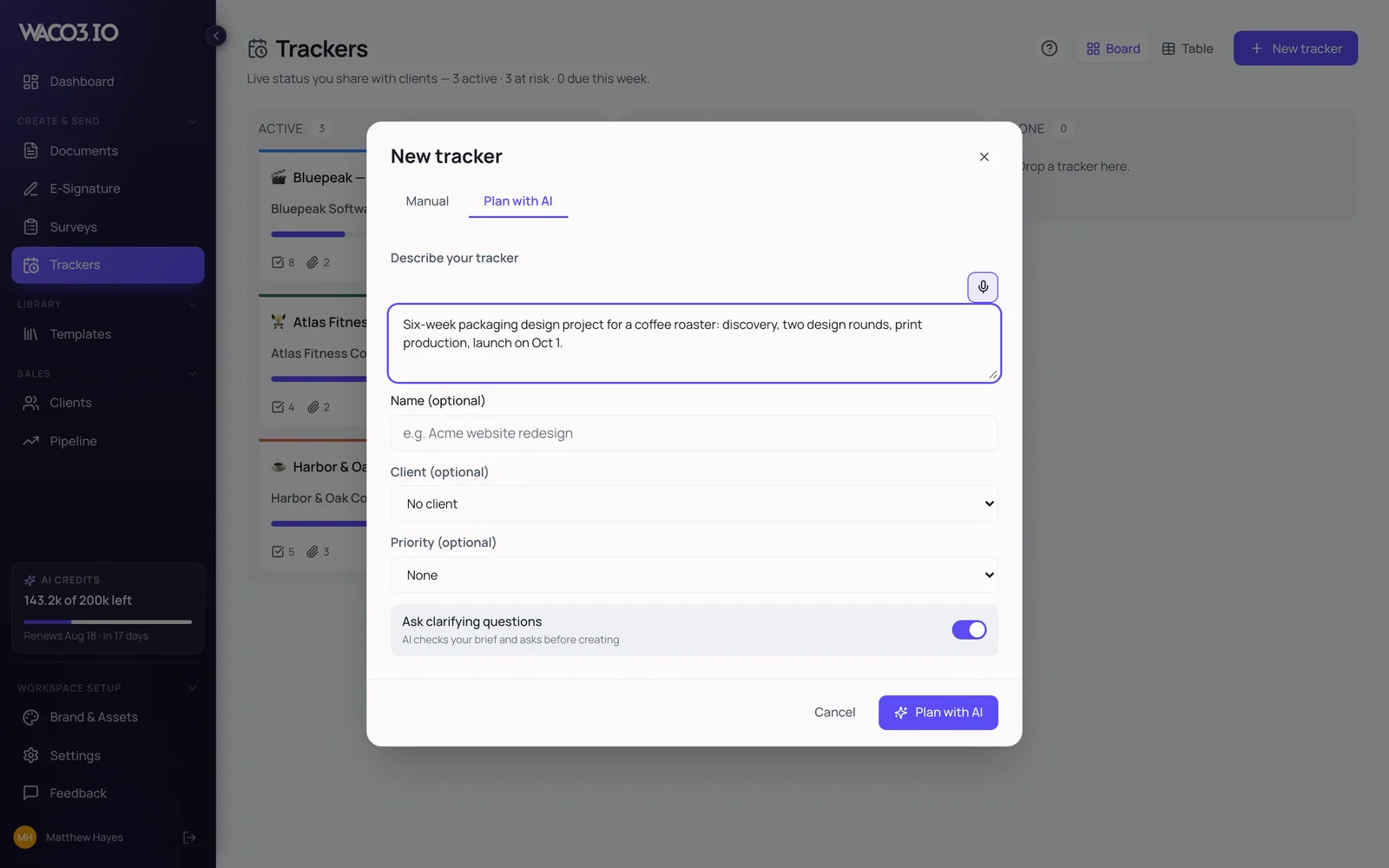
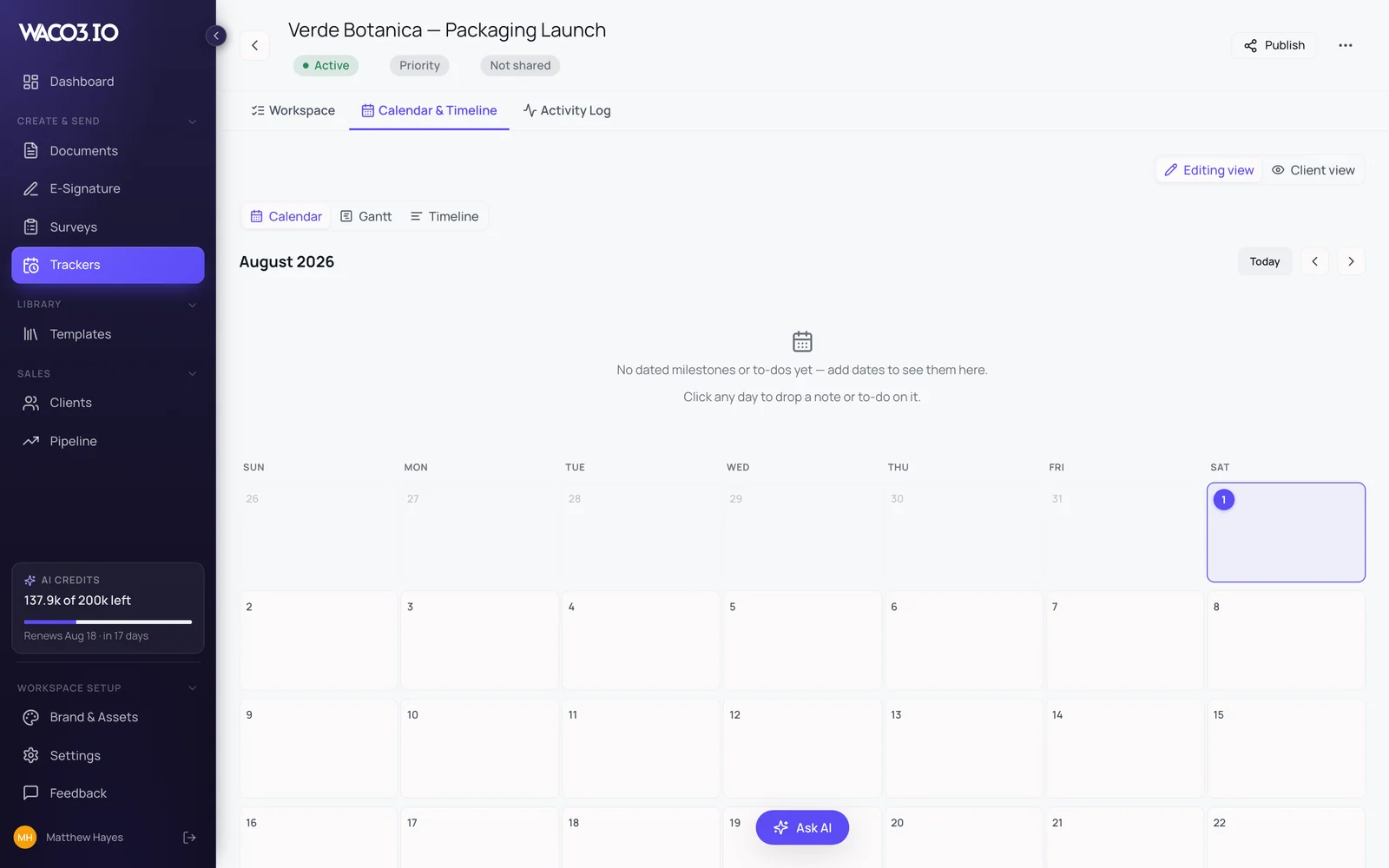
Client Trackers
- Turn a project description into milestones
- Add, remove or reschedule by asking
Clients
- Research a company from its domain
- Get a cited profile before the call
- Dictate notes


Three modules we left AI out of
Signing, your template library and your deal board work on judgement and legal weight, not generated text. Leaving AI out of them is the product decision, not a missing feature.
- E-SignatureNo AI touches your agreements. Deliberately.
- Templates LibraryA library, not a generator.
- PipelineYour forecast, not a model's guess.
Change one sentence without touching the rest
- 1
Highlight the sentence you want to change.
Your documentEvery brand system we build starts the same way, with a fortnight of listening before anyone opens a design tool. We'll deliver the brand system in three phases, starting with discovery.
- 2
A toolbar appears over the selection. Pick what should happen to it.
The AI toolbarEvery brand system we build starts the same way, with a fortnight of listening before anyone opens a design tool. We'll deliver the brand system in three phases, starting with discovery.
- 3
Three versions come back. Choose one and it replaces the text.
What comes back
Now try it yourself
Every brand system we build starts the same way, with a fortnight of listening before anyone opens a design tool. Phases two and three are scoped once discovery tells us what the work actually is.
- 1Highlight the sentence you want to change
- 2A toolbar appears over your selection
- 3Pick one of three versions. It replaces the text
Voice input
Talk instead of typing.
Every AI field in Waco3 has a microphone. Describe the project out loud on the walk back from the meeting, and the brief is written by the time you sit down, in English or Spanish, whichever you were thinking in. Two ways to do it: Waco3’s own transcription, or your browser’s built-in dictation, which costs you no AI credits at all.
- English and Spanish
- Every AI field, not just one
- No headset, no setup
- Works on your phone
Team
Bring your partner, not another invoice.
Pro includes two seats in one shared workspace. Studio includes six. Same documents, same templates, same signature envelopes, same trackers, same pipeline: one brand, one client list, one set of AI credits. Not two accounts pretending to be a team.
- Everything is shared: documents, e-signature, surveys, trackers, templates, pipeline
- One brand applied across everyone's work
- AI credits pool across the workspace. Never a per-seat AI surcharge
- Extra seats: +$9/mo on Pro, +$18/mo on Studio
Pricing
One Workspace. One Honest Price.
Seven modules, AI credits and team seats in one flat price. No per-seat AI surcharge, no per-signature fees, no send caps.
Annual billing = 2 months free
How you try it
You don't try the Free plan. You try the whole product, for 7 days.
Every new account opens with everything unlocked: all seven modules, team seats, and 50,000 AI credits to spend however you want. No credit card. On day 8 you land on Free; nothing you made is deleted, and it all comes back the moment you upgrade.
Start with the full productFull product · 7 days · no card
Free
$0/month
Where you land, not where you start
3 active documents
3,000 AI credits a month
Branded, trackable share links
Engagement analytics on what you send
Documents only: the other six modules aren't included on Free. Your trial work is never deleted; it unlocks again the moment you upgrade.
ProMost popular
$30/month
$288/yr: 2 months freeThe full workspace: all seven modules
All seven modules, unlocked
Unlimited documents, e-signatures, surveys & clients
200,000 AI credits every month
2 team seats included (+$9/mo each after)
Engagement analytics + AI follow-ups
Your logo, not ours: badge removed
Studio
$60/month
$576/yr: 2 months freeFor studios of 2-6 people
Everything in Pro
450,000 AI credits every month
6 team seats included (+$18/mo each after)
More AI Company Research runs
Room for heavy AI months
Module questions